
.svg)
→ Choose Morgen if you want an AI scheduling software with more control: best for solo professionals, developers, marketers, and ADHD users who need an aesthetic AI calendar app to suggest daily plans, not aggressively reshuffle a day like Reclaim
→ Get Motion if you want an AI virtual assistant that fully automates your schedule: a more aggressive planner for teams and busy professionals who prefer an AI that schedules work for them, but no human control when priorities and events change
→ Pick Akiflow or Sunsama if you prefer manual scheduling apps and intentional daily planning: works for professionals who want to time block tasks manually, instead of using AI to create or suggest schedules based on availability and priorities
→ Use TickTick or Fantastical if you only want manual, basic task and calendar managers: best for budget-conscious individuals who have simpler schedules, and don’t need to consolidate numerous calendars and task tools into one planning view
Reclaim AI is a popular AI scheduling assistant, but its limited integrations, no native mobile app, and less control over schedule changes often send users looking elsewhere.
Below, we compare 7 Reclaim AI alternatives, including Morgen, covering features, pricing, customer sentiment, and which tool best fits the way you plan.
Best Reclaim AI Alternatives: Quick Overview
1. Morgen: Best for AI-Assisted Calendar Planning With Human-in-the-Loop Control
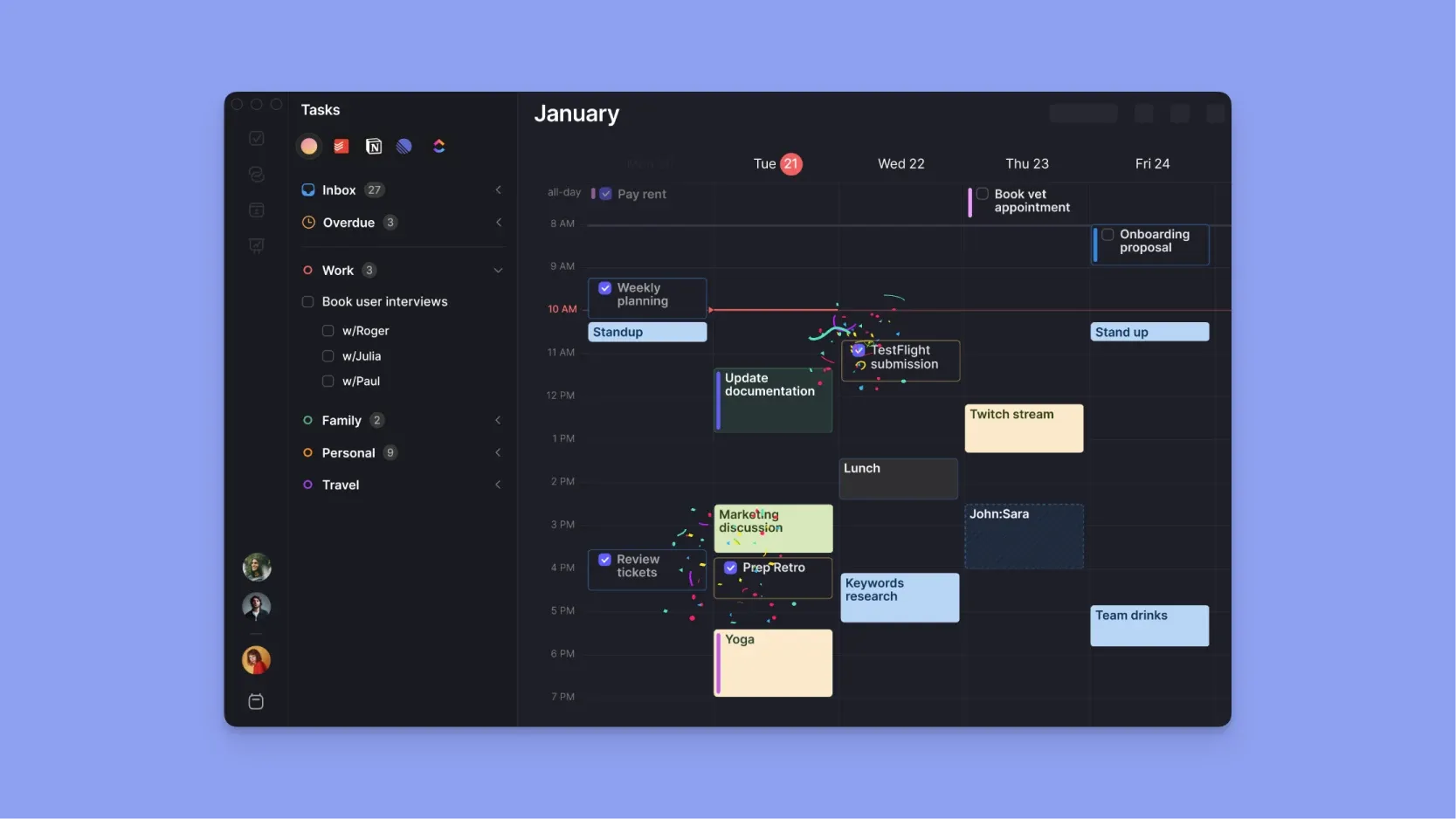
Morgen is a task and calendar management platform for professionals who want AI support without losing control.
Compared to Reclaim AI, which automatically reshuffles your day based on priority rules, Morgen is a planning copilot. It consolidates tasks and calendars and uses AI to suggest schedules you can approve.
Key Features
Morgen offers more integrations than Reclaim AI and lets you customize many features to fit how you work. The best features include:
AI Planner with Human Approval
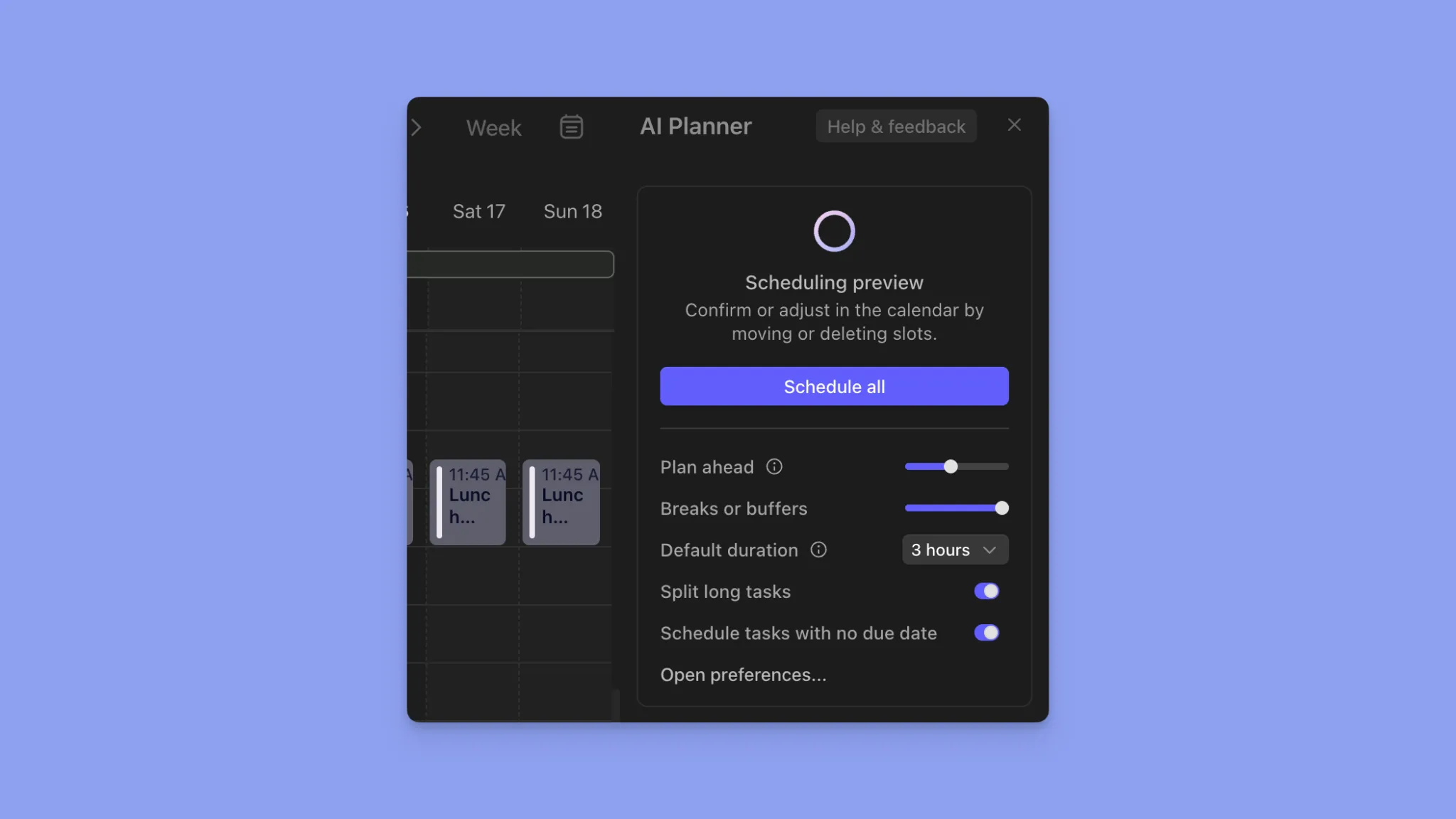
The AI Planner helps you plan your day, but leaves the final say to you.
Add Frames or drag and drop tasks into the calendar view. Then, use the AI Planner to suggest the best schedule around meetings and routines, then edit or confirm the plan before scheduling the tasks.
When conflicts appear, you can reschedule, reorganize with AI, or unschedule tasks.
Frame-Based Planning System
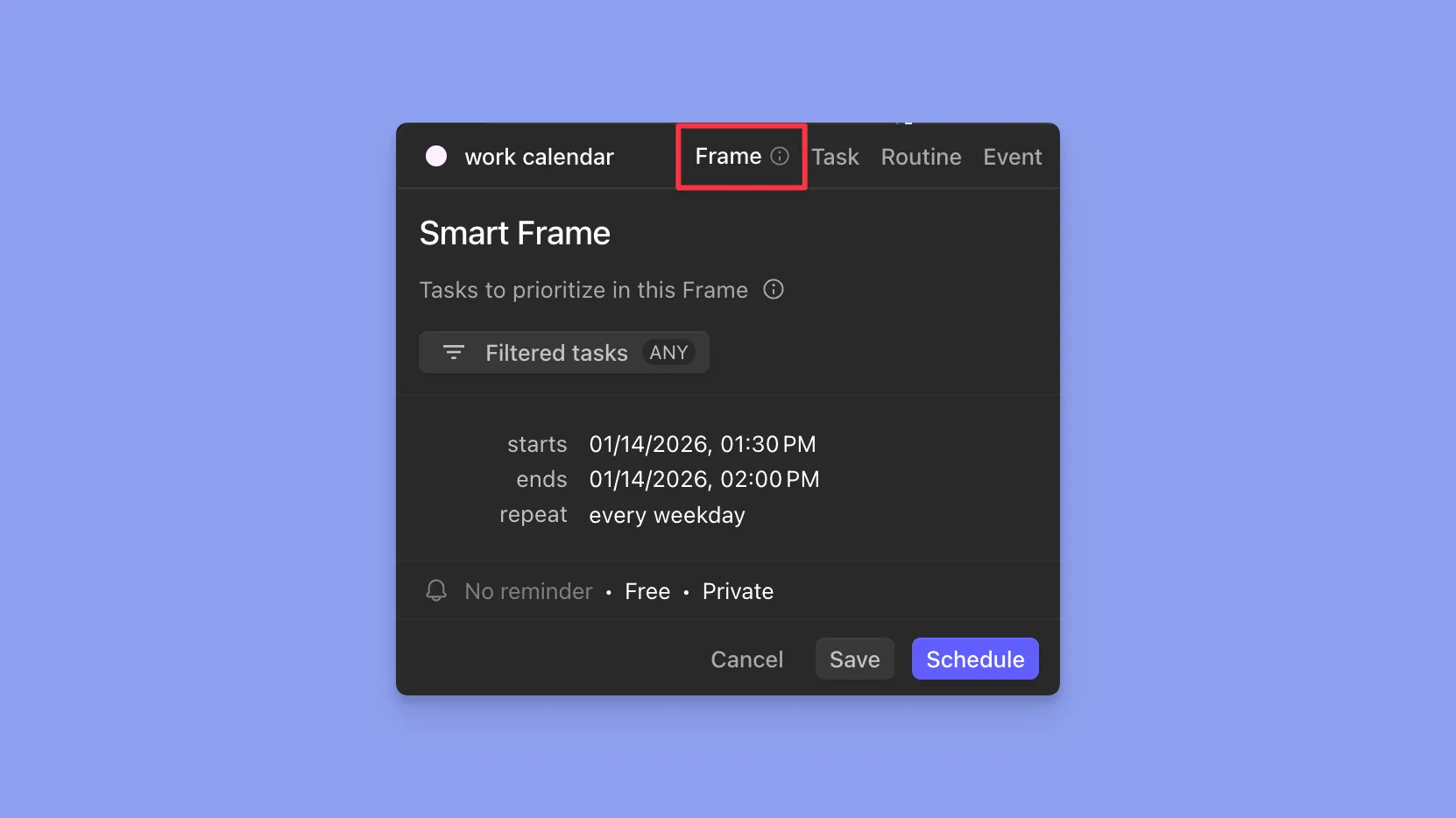
Morgen uses Frames as recurring smart time containers for specific work types.
Create one by clicking any free calendar space, selecting "Frame," then filtering by task list, size (quick wins, small, large), or calendar. You can also set a Frame as busy or private, and add custom alerts and recurrence.
Deep Task Integrations
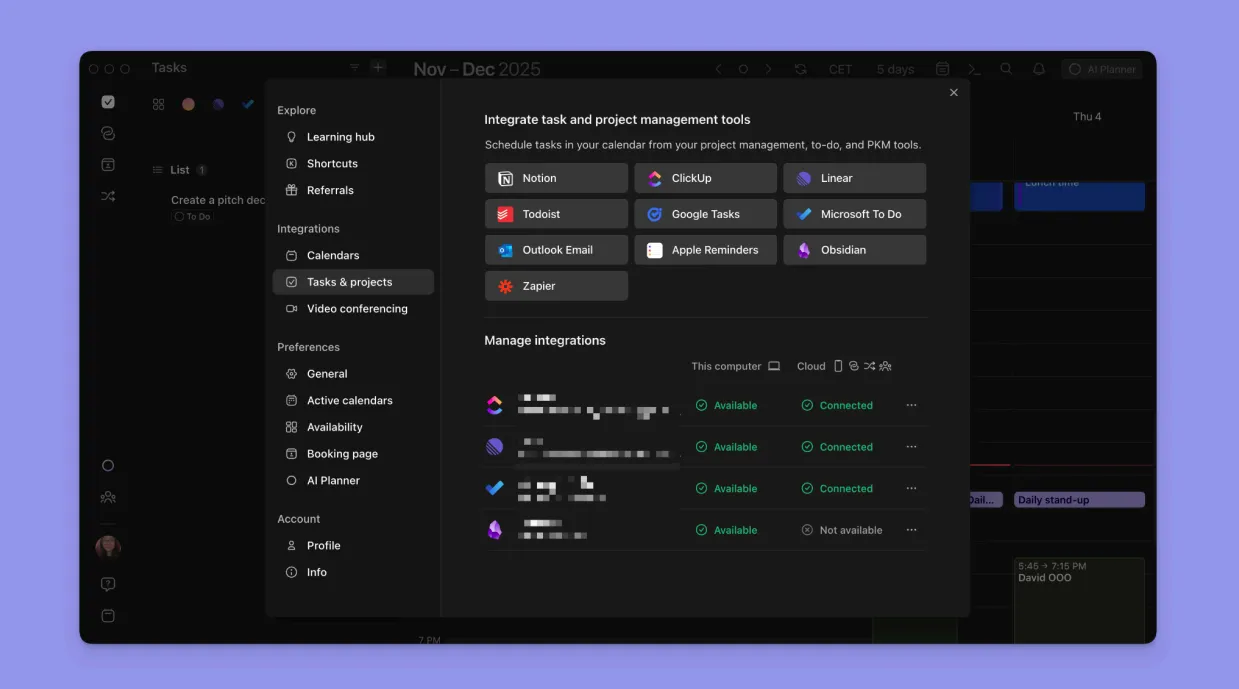
While Reclaim focuses on a smaller set of task sources, Morgen offers broader, bi-directional task integrations, including Todoist, Notion, Linear, ClickUp, Apple Reminders, Microsoft To Do, Google Tasks, and Obsidian.
More Calendar Connections
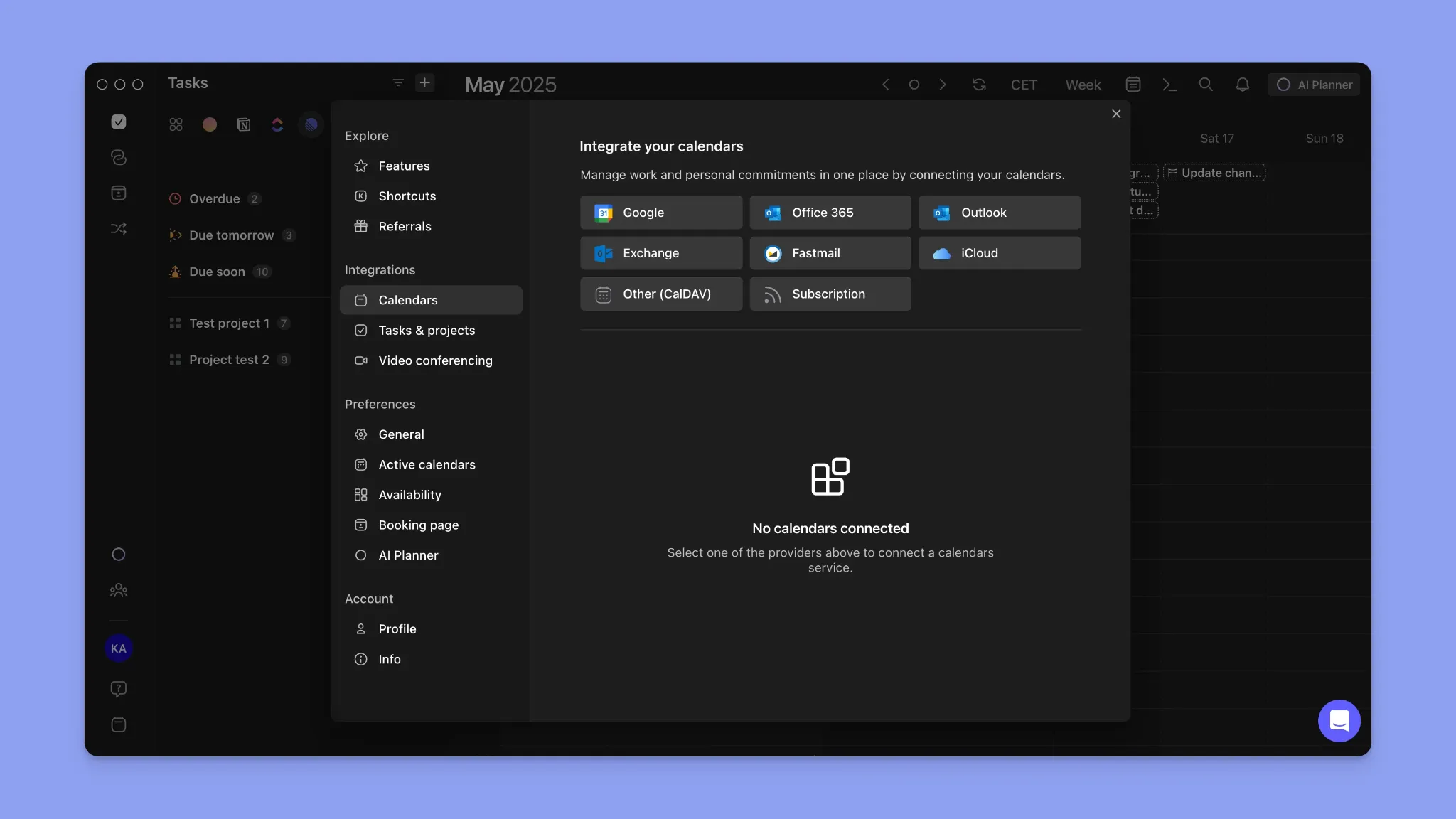
Morgen syncs calendars with native integrations for Google Calendar, Outlook Calendar, iCloud, Fastmail, and subscribed calendars.
Reclaim AI, by contrast, supports only Google Calendar (with Outlook supported via sync), which offers less flexibility for users managing multiple calendar ecosystems.
Meeting & Virtual Conferencing Links
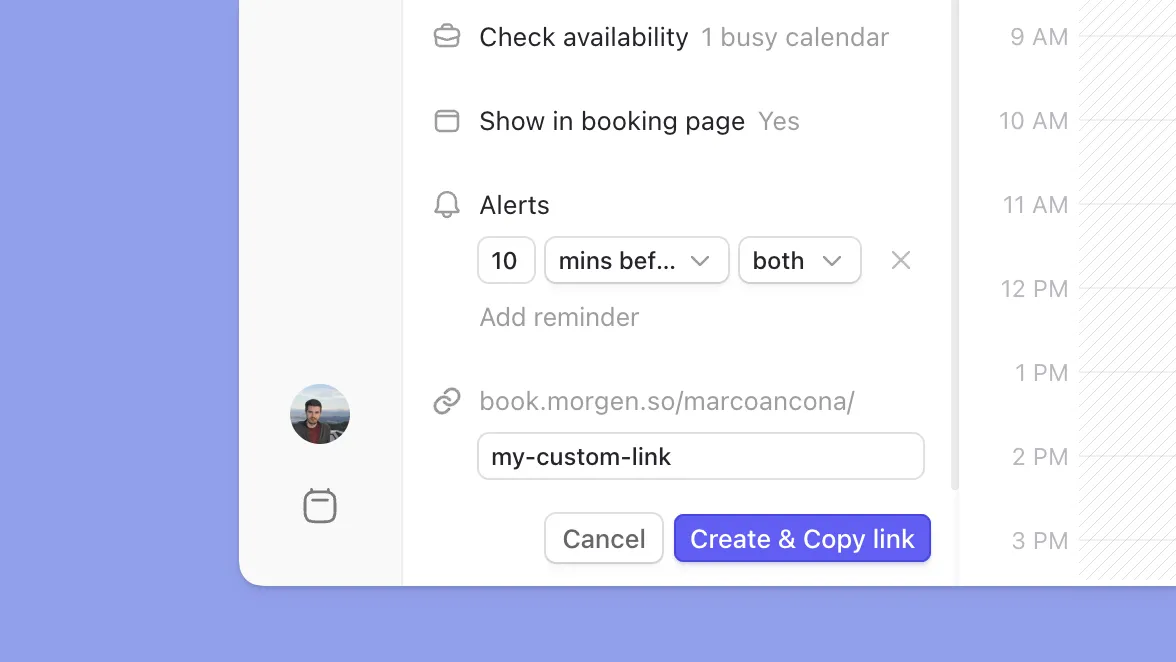
Morgen provides built-in meetings support, letting you create booking pages and generate scheduling links for Zoom, Google Meet, Microsoft Teams, and Webex.
Pricing
Note: Morgen offers a free 14-day trial on all plans and a 30-day money-back guarantee.
Where Morgen Shines
- Deeper integrations across your entire productivity stack: Morgen connects with more task sources, calendars, and conferencing tools than Reclaim AI
- Human-in-the-loop approach: Morgen's AI Planner suggests schedules but requires your approval before making changes, preventing unexpected schedule changes
- Cross-platform support: Morgen provides native desktop apps and dedicated mobile apps, while Reclaim AI only operates as a web app
- ADHD-friendly planning: Color-coded calendars, visual time blocking, the command bar, and Frames reduce time blindness and decision fatigue
Where Morgen Falls Short
- No habit streak or consistency tracking: Morgen does not track whether you completed your routines or show patterns over time
- Not a project management tool: Morgen is a planning interface, and does not support task dependencies, Gantt views, workload distribution, or team-level project tracking
Customer Reviews
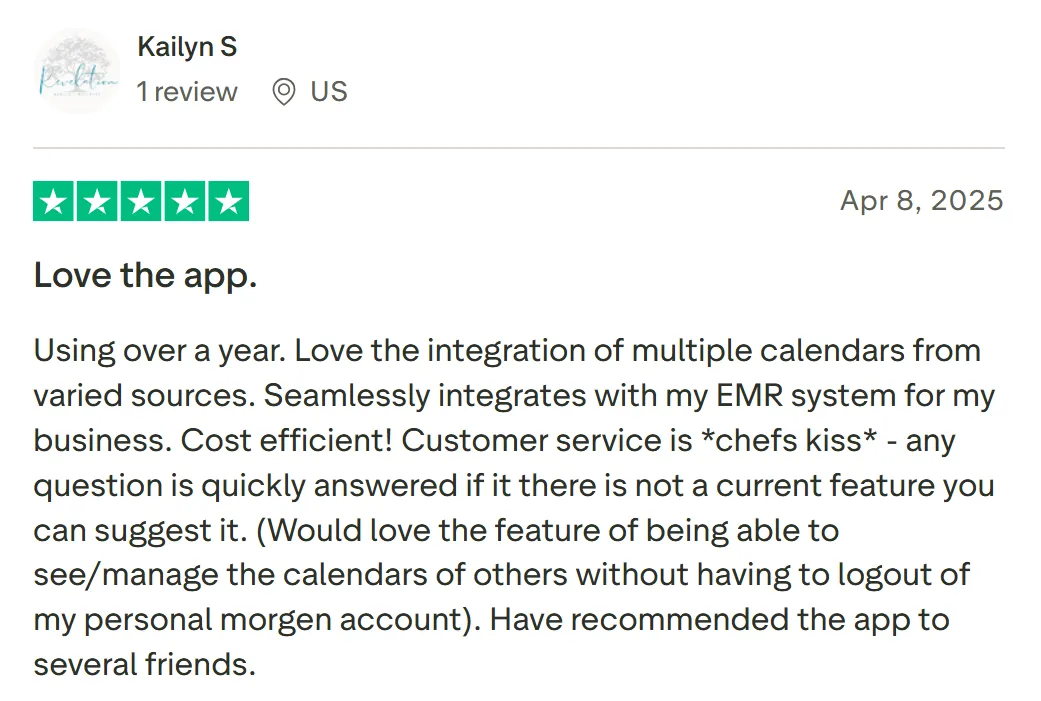
"Using over a year. Love the integration of multiple calendars from varied sources," shares Kailyn S:
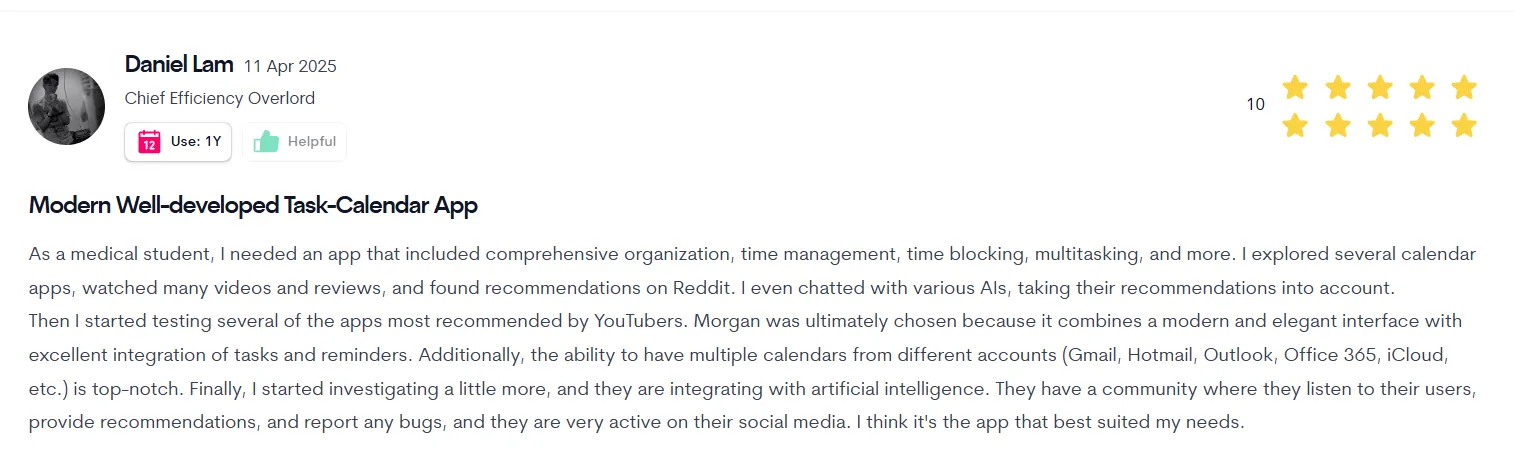
Daniel Lam shares the following on ToolFinder:
Who Morgen Is Best For
- Solopreneurs, marketers, and other busy professionals: People who want a smart AI planner to read and understand commitments, the suggest an realistic workday in seconds
Who Is Morgen Not Designed For?
- Users who want full set-it-and-forget-it scheduling: Morgen's AI Planner requires your sign-off before changes take effect
- Teams running org-wide calendar optimization: Morgen does not offer company-wide meeting compression, team habit protection, or admin controls across seats the way Reclaim does
Download Morgen to start planning your schedules now. Available on Mac, Windows, Linux, iOS, Android, and on the web.
2. Akiflow: Best for a Unified Inbox and Manual Time Blocking Without AI Scheduling
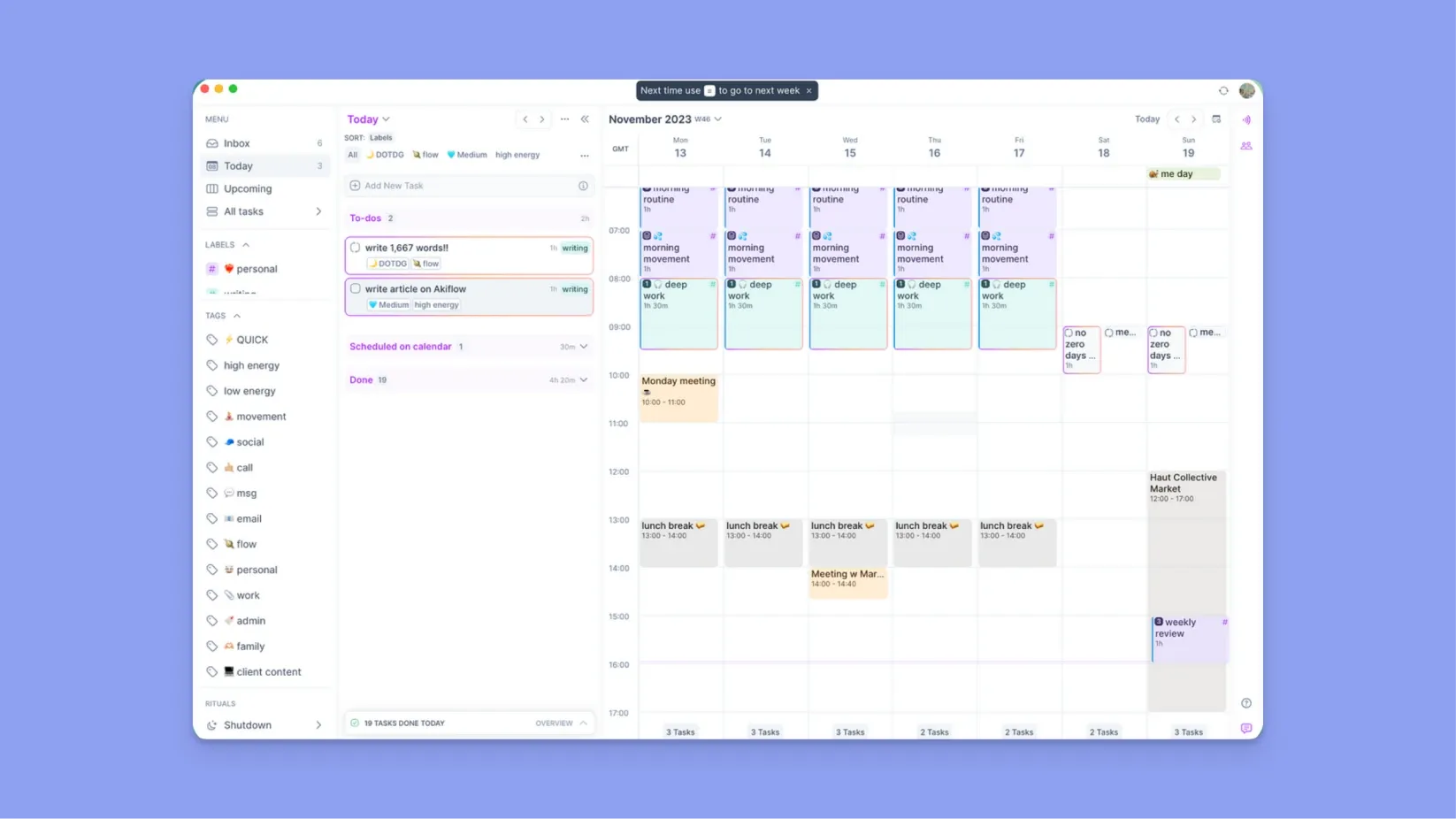
Akiflow is a and daily planning platform built for manual time blocking. It uses an AI assistant (Aki) to organize tasks, but not to create a daily schedule.
Key Features
- Aki AI assistant: Aki understands natural language and helps prioritize tasks and surface what needs attention
- Deep task and calendar integrations: Akiflow offers more task and calendar integrations than Reclaim AI
- Command bar workflows: Akiflow’s command bar lets you create, schedule, and move tasks entirely via keyboard
Pricing
You can also find a complete breakdown of what’s included in each tier in our guide to Akiflow pricing and features.
Where Akiflow Shines
- Universal inbox: Centralizes tasks from apps, Slack messages, and emails into one inbox, making capture fast and reducing context switching
- Best for hands-on daily planning: Ideal for individuals who prefer to manually review, prioritize, and time block their day instead of relying on AI to automatically reshuffle tasks
Where Akiflow Falls Short
- Premium pricing with no free plan: At $19/month, the platform is pricier than Morgen, Reclaim, and these Akiflow alternatives
- No subtask support: Akiflow lacks subtasks for breaking down complex projects. That said, Morgen supports subtasks for hierarchical task organization
Customer Reviews
"Oh, I absolutely love the ability to integrate with so many applications and so snappily, so quickly," Hardik D shares:

"I would appreciate it if they could introduce subtasks, as I rely on them quite a bit," says Sarah A on G2:

Who Akiflow Is Best For
- Consultants and power users: Professionals who live in Slack and email and prefer fast, manual time blocking over AI-driven scheduling
Who Is Akiflow Not Designed For?
- Users who want AI to handle daily scheduling: Akiflow is a manual planner. Every block requires a deliberate decision. If reducing planning effort is your priority, Akiflow will add friction rather than remove it
3. Motion: Best Full AI Planning App for Automatic Prioritization and Scheduling
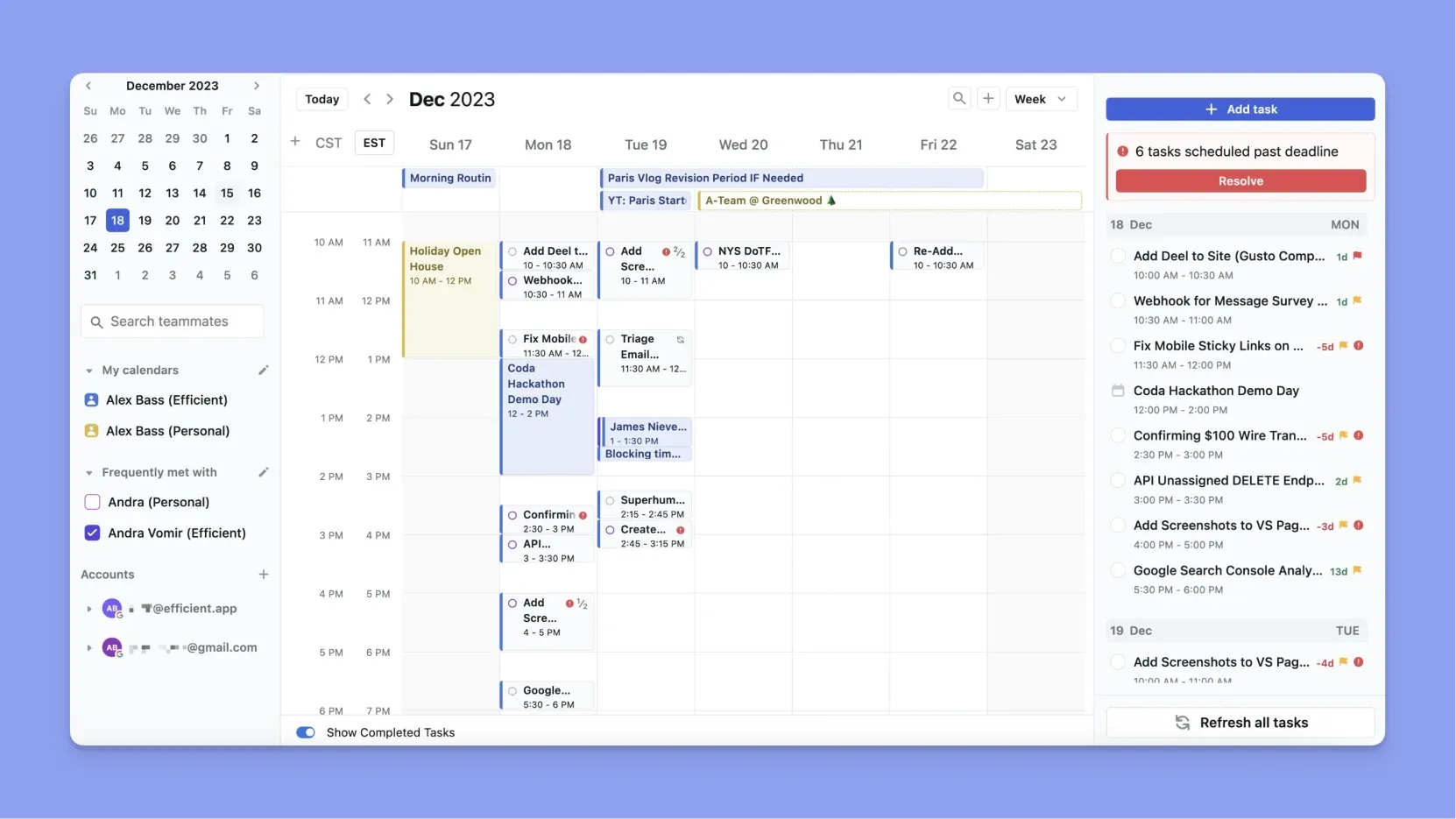
Motion is an executive AI assistant built for aggressive automation. It’s the strongest Reclaim AI alternative if you want your calendar, tasks, and projects fully auto-scheduled with minimal manual input.
Key Features
- AI task manager: When you create tasks, Motion's AI engine automatically schedules them depending on calendar availability. If meeting schedules change, or you create more important work, Motion automatically reshuffles tasks with less urgent priorities
- Calendar and more integrations: Natively connects to Google Calendar, iCalendar, Google Meet, Zoom, Siri, and Zapier to centralize meetings and availability
- AI project management: Supports projects with dependencies, timelines, and automatic task sequencing, removing the need for separate project management tools
For a deeper look at how its automation changes the native experience, see our detailed Motion vs Google Calendar breakdown.
Pricing
Where Motion Shines
- All-in-one AI productivity platform: Combines AI Projects, AI Meetings, AI Docs, AI Tasks, AI Calendar, Notes, Reports, and Workflows in one system
- Multiple planning views: Supports list, Kanban, and Gantt views for visualizing work across timelines and dependencies
- Developer-friendly: Offers an API for teams that want to build custom workflows or integrations
Where Motion Falls Short
- Steep learning curve: The volume of AI-driven features and settings can feel overwhelming, especially for solo users
- High cost: Motion is quite expensive, especially on monthly plans, leading many users to explore Motion alternatives with simpler pricing and more control
You might find that Reclaim pricing is a more accessible entry point if you still require a high level of automation.
Customer Reviews
"I no longer have to worry about forgetting about a task and can smart-schedule all of my to-dos," shares Bobby C:

"There is a bit of a learning curve on Motion. I am really committed to making this work, because I need it to," shares a verified user on G2:

Who Motion Is Best For
- Teams needing AI project management: Groups that want fully automated task, project, and calendar planning rather than manual or assistive scheduling
Who Is Motion Not Designed For?
- Solo professionals who want to stay in control of their schedule: Motion's AI rebuilds your entire day continuously in the background. If you prefer approving changes before they happen, the level of automation here works against you
- Budget-conscious individuals: At $29/month on annual billing, it is one of the more expensive digital planning apps for individuals on this list
4. Sunsama: Best Mindful Calendar Planner for Daily Scheduling Without AI
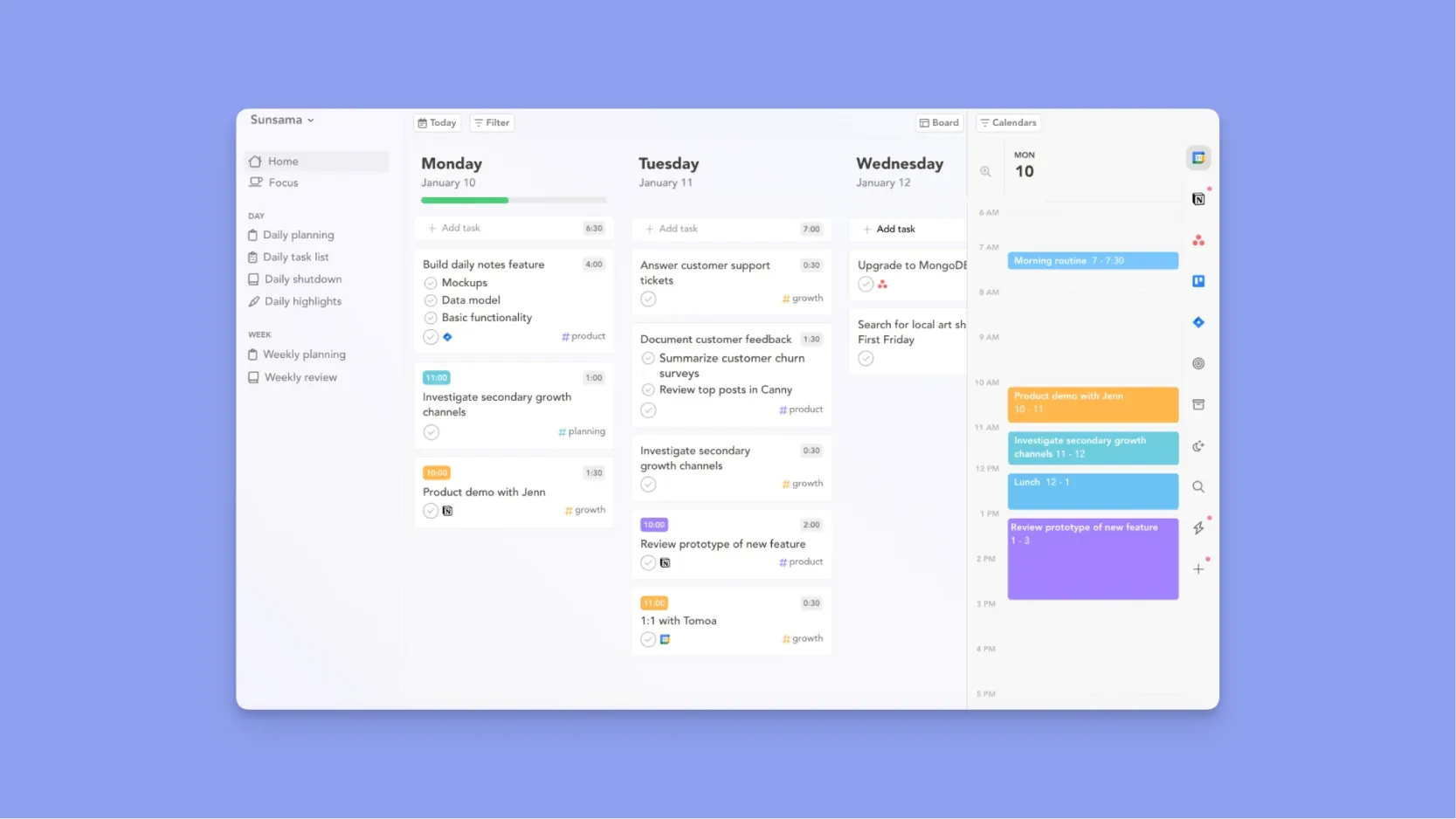
Sunsama is a Reclaim AI alternative for professionals who want minimal automation. It focuses on daily planning rituals for reviewing work, setting priorities, and planning realistically.
Key Features
- Task, calendar, and PM integrations: Sunsama connects with task managers and project tools like Asana, Trello, ClickUp, Jira, and Todoist, alongside Google Calendar and Outlook for two-way calendar syncing
- Mindful daily planning: Each day follows a structured routine: review yesterday’s work, choose realistic tasks for today, and plan time blocks accordingly
- Work analytics: Built-in analytics show how you actually spend your time, highlighting patterns across task types to improve focus and workload balance
Pricing
Where Sunsama Shines
- Calm, intuitive interface: Designed to reduce overwhelm and encourage deliberate planning
- Planning with clarity: You commit only to tasks you can realistically handle, then block time directly on your calendar with true two-way syncing to stay focused
Where Sunsama Falls Short
- Desktop-first experience: Works best on desktop, which may limit on-the-go planning compared to these Sunsama alternatives
- No habit tracking: As a daily planner, Sunsama does not have streak features to plan recurring tasks better
- Account limitations: It cannot import tasks from multiple accounts of the same project management tool
Customer Reviews
"Sunsama lacked some core features I needed, specifically the ability to import tasks from multiple accounts of the same PM tool," says Corey B.

"It gives me a realistic picture of how I'm spending my time," shares Susie I.

Who Sunsama Is Best For
- Mindful professionals and small teams: People who value reflection, realistic daily planning, and work-life balance over aggressive AI automation
Who Is Sunsama Not Designed For?
- Users who want an AI-powered calendar management tool: Sunsama has no AI scheduler. Every task gets time-blocked manually, daily, as part of a structured ritual
- Teams and meeting-heavy organizations: Sunsama does not support team workflows such as shared availability views, collaborative scheduling, or organization-wide calendar optimization
5. Fantastical: Best Apple Calendar App for Events and Manual Schedule Management
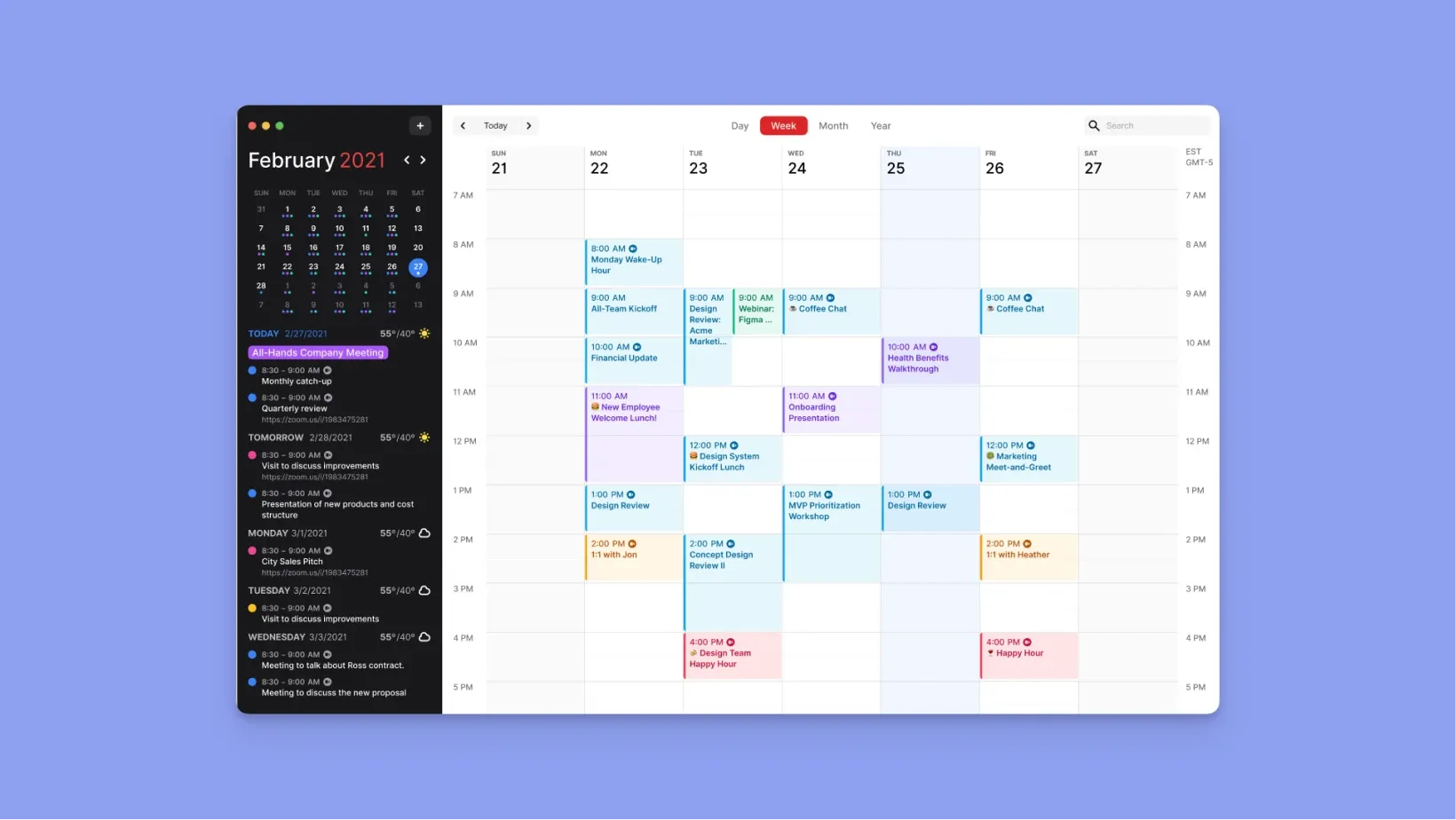
Fantastical is a calendar app designed exclusively for Apple devices, offering natural language event parsing and full calendar views for managing events and tasks.
Key Features
- Natural language parsing: Create events by typing phrases, and it offers date and time recognition
- Calendar and task support: Offers day, week, month, quarter, and year views, plus basic task handling with integrations for Apple Reminders, Todoist, and Google Tasks
- Ecosystem integrations: Works with iCloud, Google, Exchange, Office 365, Zoom, Google Meet, Microsoft Teams, and shared calendars
Pricing
Fantastical offers a free version with limited features, with premium pricing at $5/month. Read more about Fantastical pricing.
Where Fantastical Shines
- Plays well with task apps: Works smoothly with Todoist and system reminders to keep your schedule in one calendar view
- Planning context built in: Weather forecasts appear alongside your schedule, helping you plan travel, meetings, and outdoor commitments realistically
Where Fantastical Falls Short
- Premium features locked: Many of Fantastical’s more polished capabilities require a Flexibits subscription
- No true task scheduling: Tasks aren’t time-blocked natively, so planning actual workload still requires a separate task or planning tool
Customer Reviews
"Some of the nicer features require a subscription," notes Melissa E.

"I love that I can manage all my calendars from one tool at the same time," shares Kelly W.

Who Fantastical Is Best For
- Apple-focused professionals: Users who want a fast calendar with powerful event creation, but don’t need AI scheduling or advanced task planning
Who Is Fantastical Not Designed For?
- Windows or Android users: Fantastical is Apple-only. If your workflow spans operating systems or devices, it is not a viable daily driver
- Users who need tasks placed on their calendar automatically: Fantastical handles events well but does not schedule tasks around your workload
6. TickTick: Best Budget Task and Calendar Planner With Built-In Productivity Tools
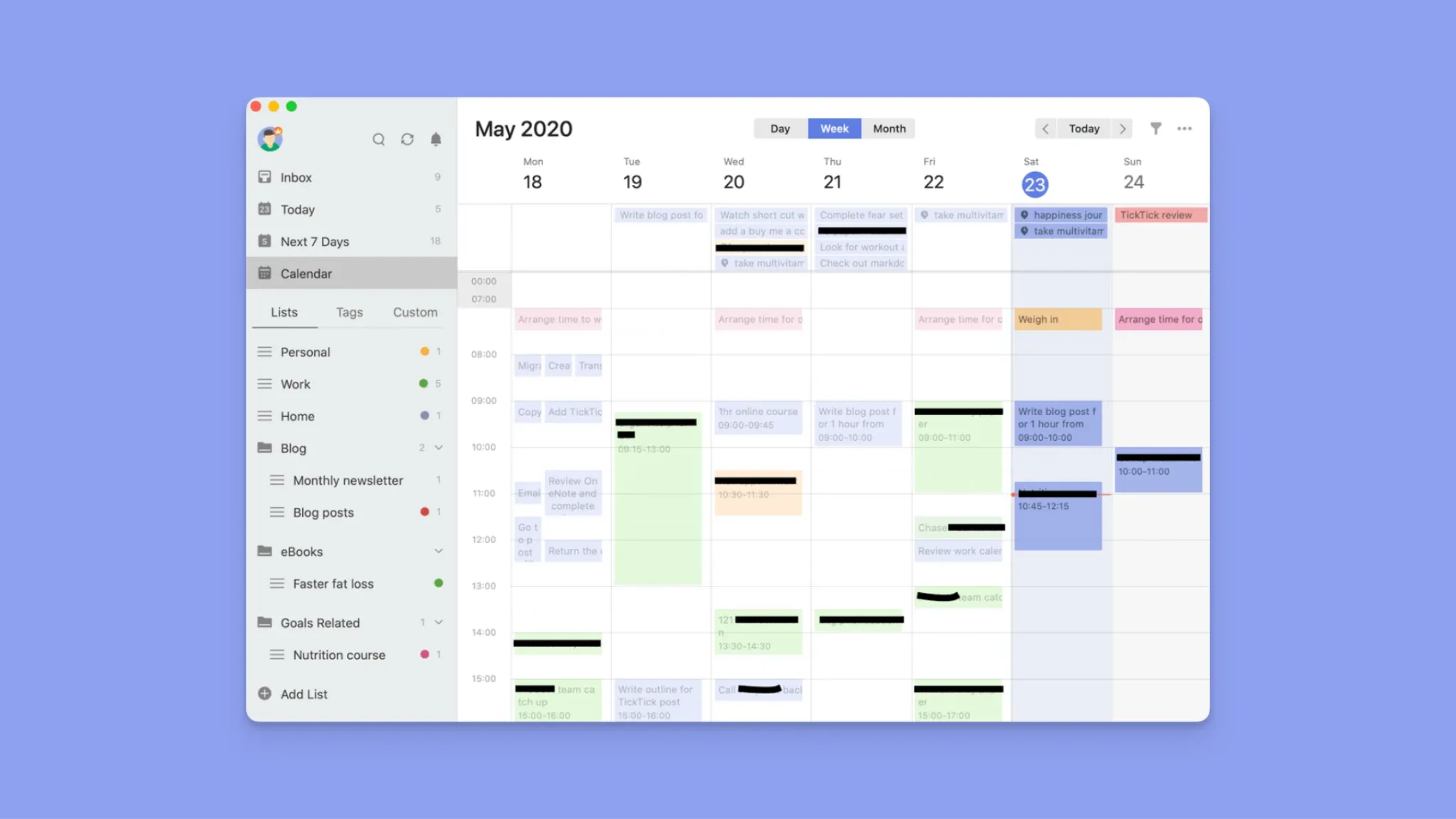
TickTick is a Reclaim alternative for users who want task-calendar integration without AI automation, plus built-in productivity tools that Reclaim lacks.
It offers natural-language parsing, a Pomodoro timer, habit tracking, and Eisenhower Matrix prioritization, and requires manual task-to-calendar placement with two-way Google Calendar sync.
It suits budget-conscious individuals, especially coming with a free forever plan. However, TickTick is not designed for teams, and important features like the calendar and timeline views are paywalled.
7. Clockwise: Best Team Calendar Planner for Meeting Compression and Focus Time
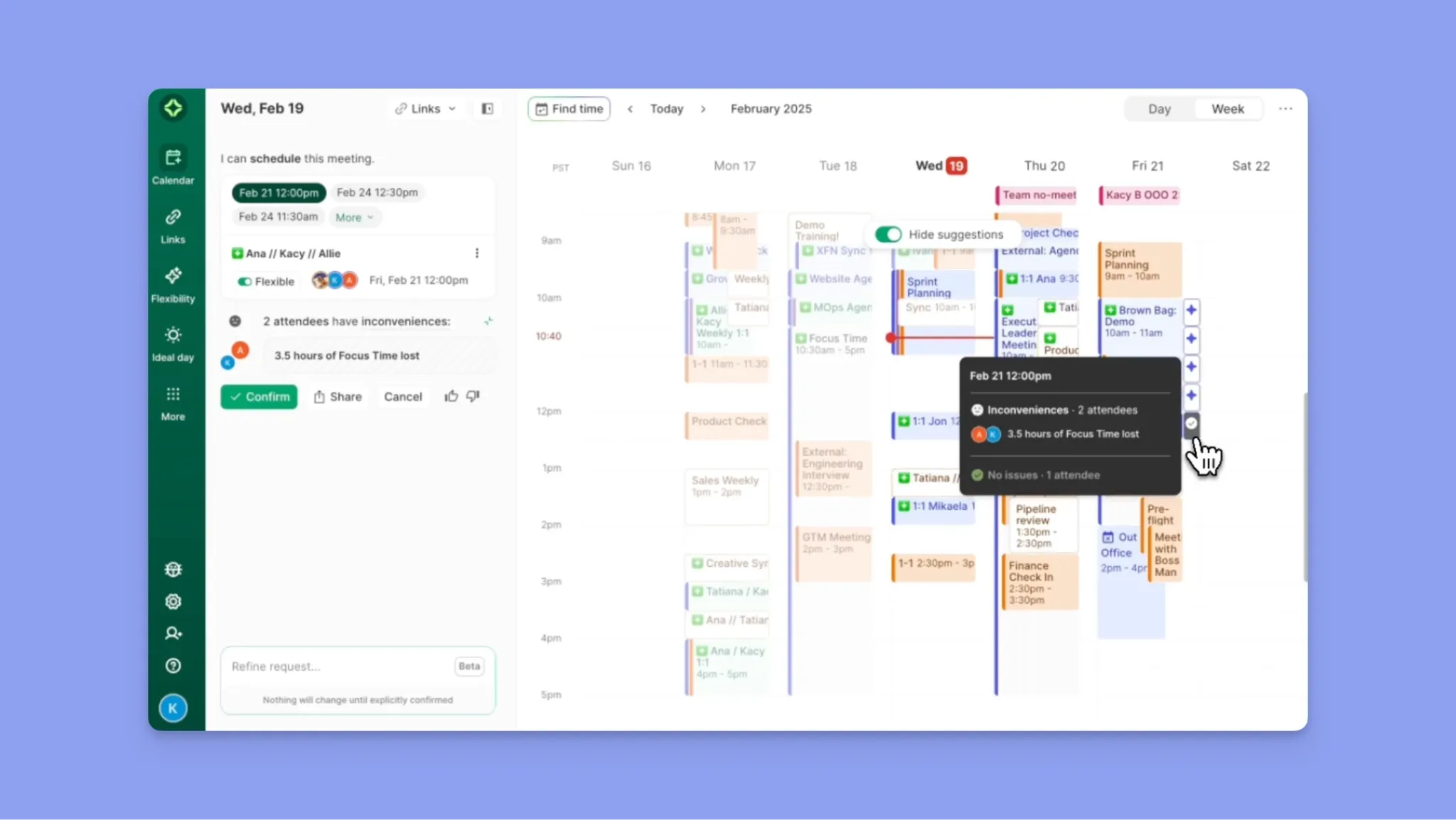
Update (April 2026): Clockwise is no longer available. When moving from Clockwise, Morgen offers a dedicated migration path and a 35% switcher discount.
Clockwise is an AI-powered calendar management tool designed for teams that need shared calendar optimization and protected focus time across multiple stakeholders.
It suits meeting-heavy organizations that want flexible meetings compressed automatically into fewer blocks. However, it is not designed for solo users, manual daily task planning, or professionals who prefer direct control over scheduling decisions.
Reasons to Consider an Alternative to Reclaim AI
The best Reclaim AI alternatives offer smarter automation, deeper integrations, or simpler planning workflows. With these, you can recapture up to two hours of productive time daily, meaningful gains when low productivity costs the global economy US$438 billion annually.
Choose an alternative if:
You Want a Copilot, Not an Autopilot
Reclaim relies heavily on rule-based automation that can reshuffle your calendar without context. This works for some users but overwhelms others.
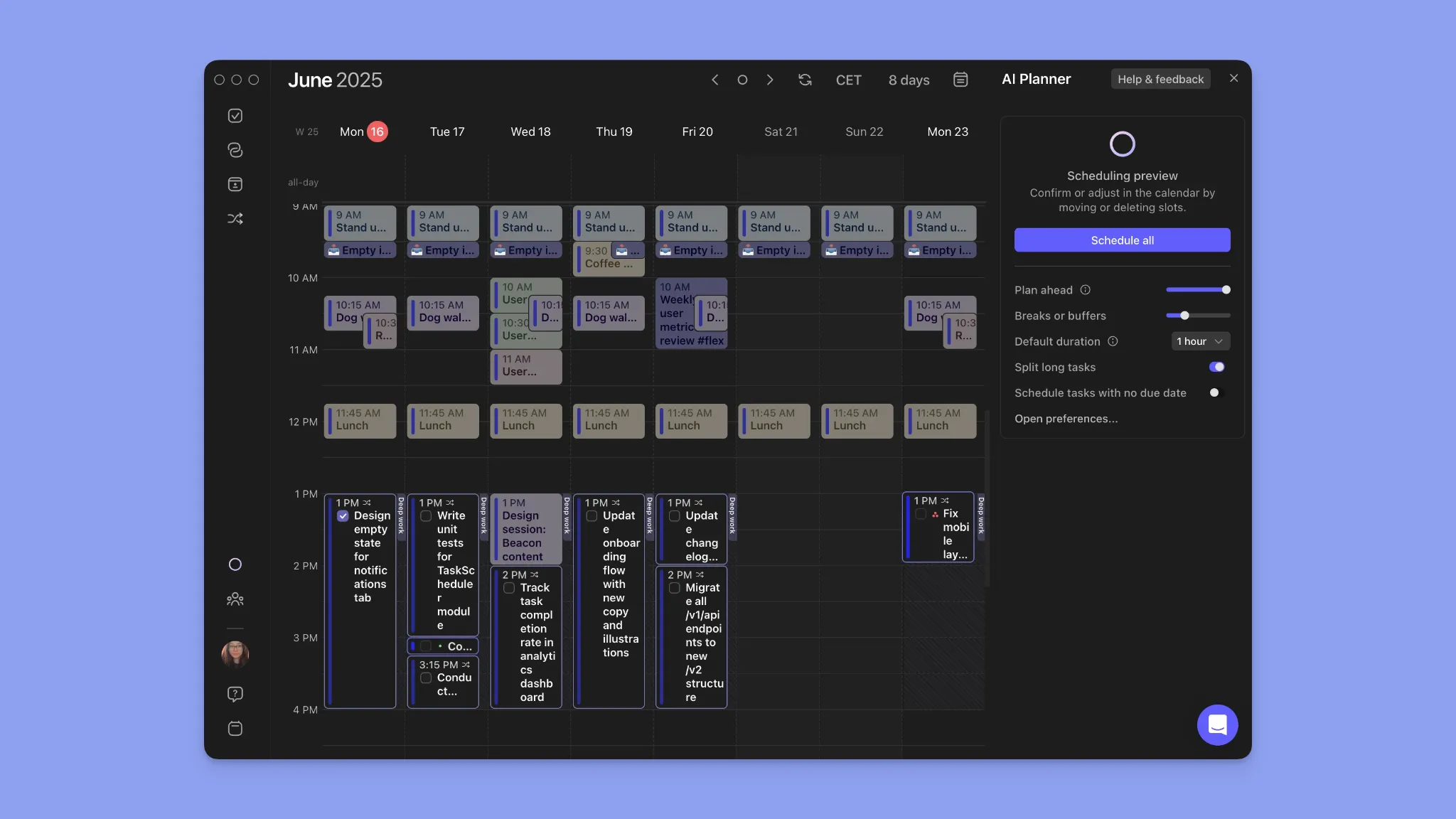
Morgen's AI Planner suggests schedules, flags conflicts, and optimizes placement, but you approve the changes to keep planning predictable while still saving time.
Your Tasks and Calendars Feel Disconnected
While Reclaim supports several task tools, it limits you to two calendars. In practice, busy professionals often need one view across multiple calendars and tasks.
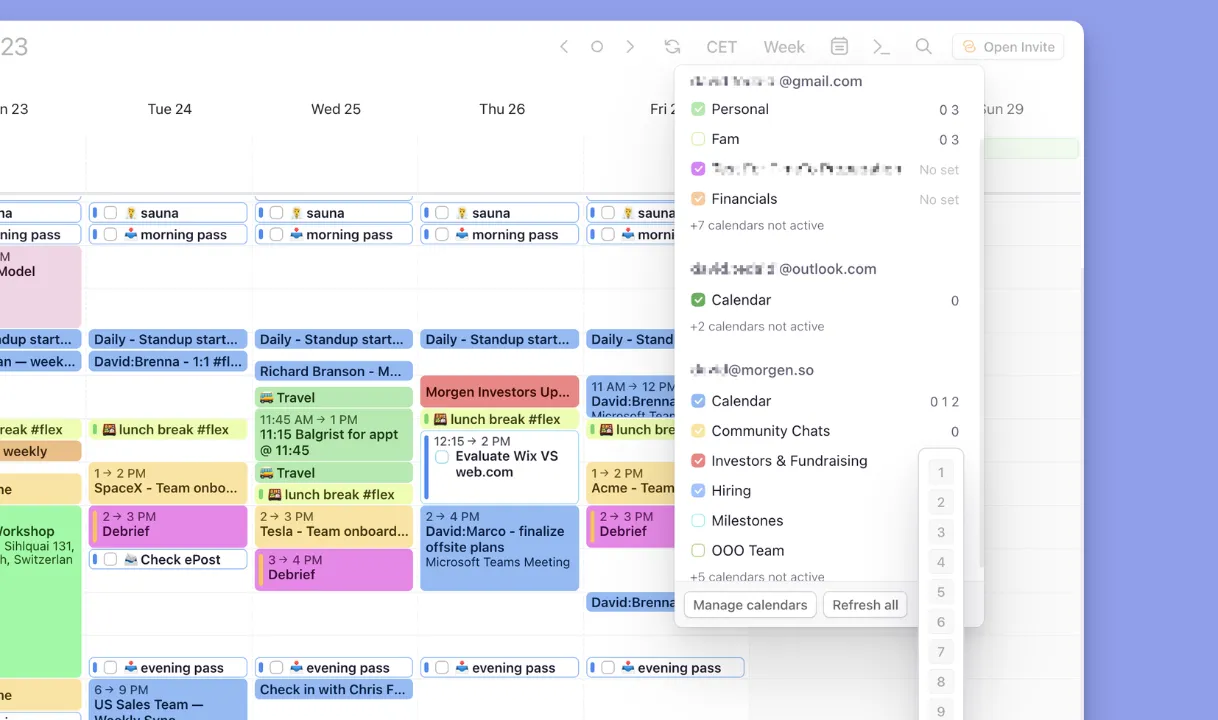
Morgen connects tasks across many calendars in a single timeline, making it easier to manage work, personal, and shared schedules in one place.
You Need Better Personalization for Real Workdays
Reclaim’s automation prioritizes efficiency but offers limited personalization around how you work. Morgen lets you create buffer times, mark events busy or private, color-code work types, and control rescheduling behavior.
Boost workday focus with Morgen’s free Deep Work Timer and Chrome extension. Stay in flow, reduce distractions, and plan deep work sessions directly alongside your calendar.
You Need a Cross-Platform Planning Hub
Reclaim lacks native mobile apps and works best inside a browser. For professionals switching between desktop and mobile, this creates friction.
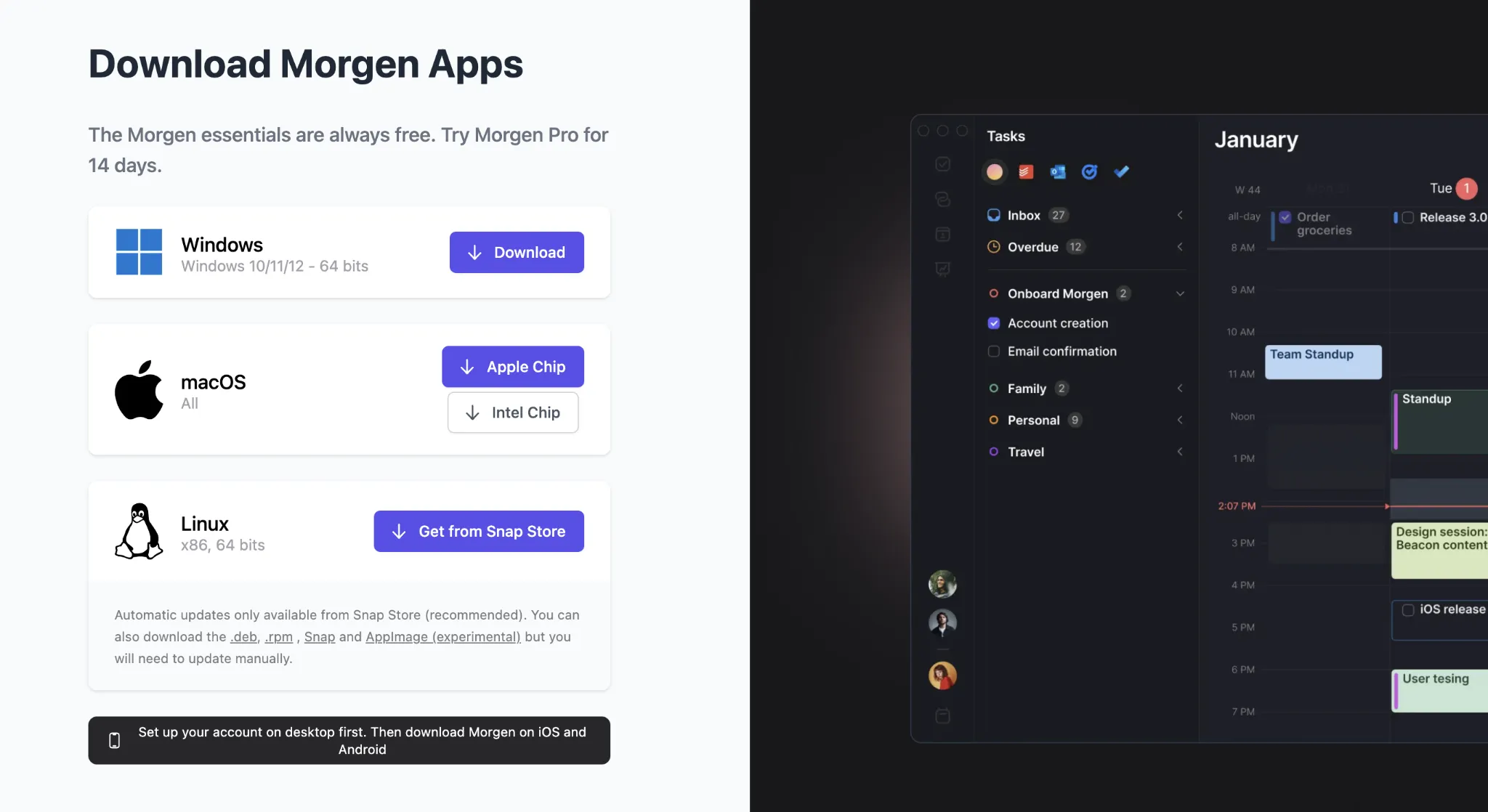
Morgen provides native apps across Linux, Windows, macOS, iOS, and Android, making it a reliable planning hub wherever your day happens.
You Want Hands-On, Visual Planning With Drag-and-Drop Control
Compared to Reclaim's automation, Morgen lets you drag tasks and Frames within the calendar, and split work into multiple sessions.
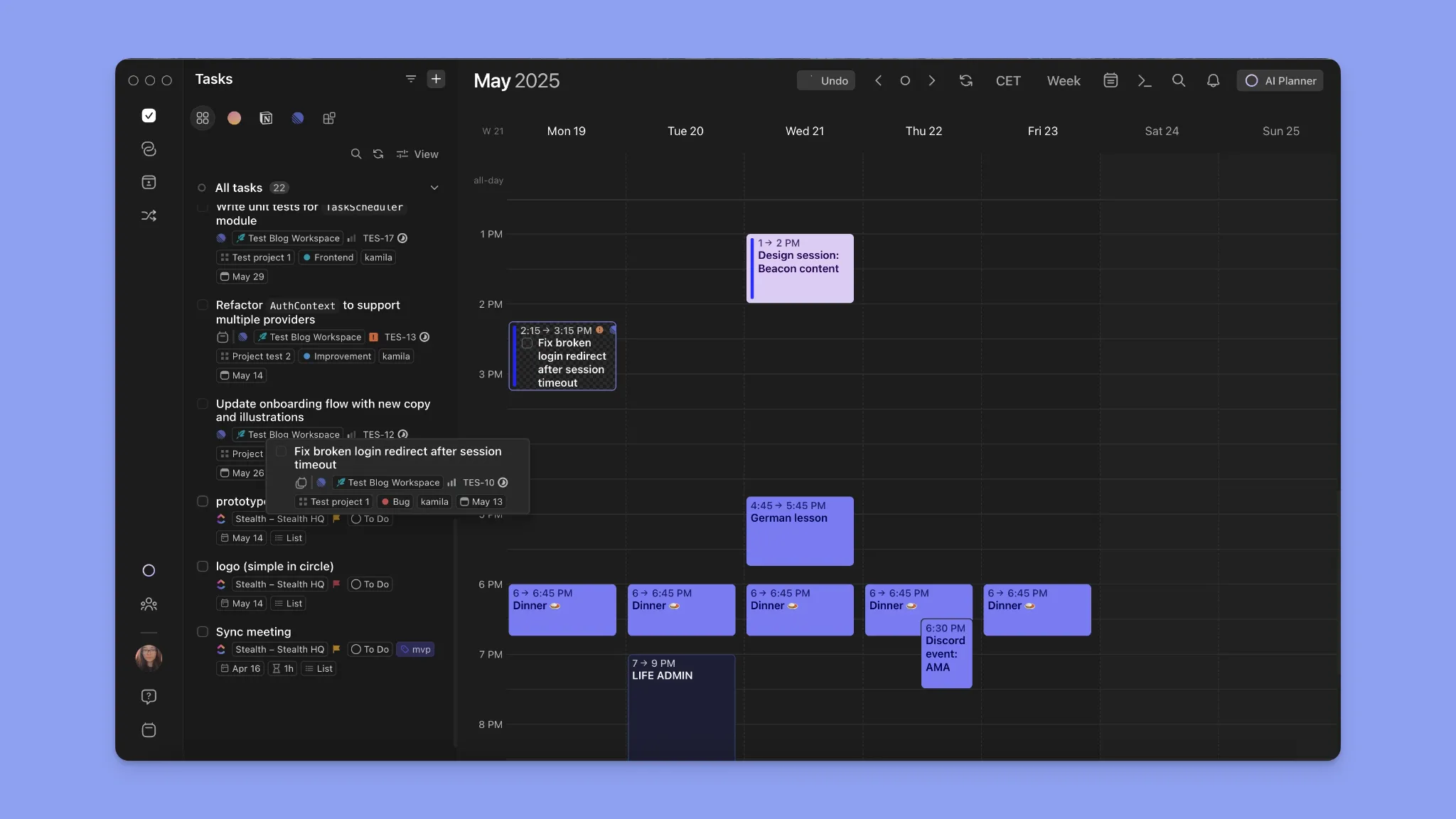
It's a visual, hands-on approach that makes it easier to plan complex work, adjust on the fly, and stay in control of your day.
Smarter Scheduling Starts with Morgen
While Reclaim.ai is a solid AI calendar planner, its aggressive reshuffling can leave your day feeling harder to follow.
Morgen takes a softer copilot approach: AI suggests task placements, but you review and confirm the plan before it takes effect. See what the latest Morgen V4 offers, then start your free trial.
FAQs
1. What Is the Best Alternative to Reclaim AI?
Morgen is one of the best Reclaim AI alternatives for users who want more control, deeper integrations, and approval-based AI scheduling.
2. Which Reclaim AI Alternative Gives You More Control?
Morgen gives you more control by suggesting schedules you approve instead of automatically reshuffling your day when meeting land or delay.
3. What Is the Best Reclaim AI Alternative for ADHD and Time Blocking?
Morgen is a strong fit for ADHD users who need visual time blocking, color coding, fast capture, Frames, and AI-assisted daily planning.
4. Can I Move From Reclaim AI to Morgen Without Rebuilding My Workflow?
Yes. Morgen supports multiple task and calendar integrations, making it easier to switch without rebuilding your full workflow.
5. Which Is the Best Free Reclaim AI Alternative?
Morgen gives you access to free daily planning tools even without a subscription. These include the Schedule Builder, Deep Work Timer, and Easy Tasks Chrome extension.
You also get a 14-day free trial if you want to explore the full AI planning experience first.
6. Which Is the Best Reclaim AI Alternative for Android?
Morgen offers native Android and iOS apps, unlike Reclaim. You can capture tasks, view events, and receive notifications on the go without relying on a browser.

.svg)
.webp)


